V0 Design Exercise
Improving Visual Affordances in Chat Interfaces
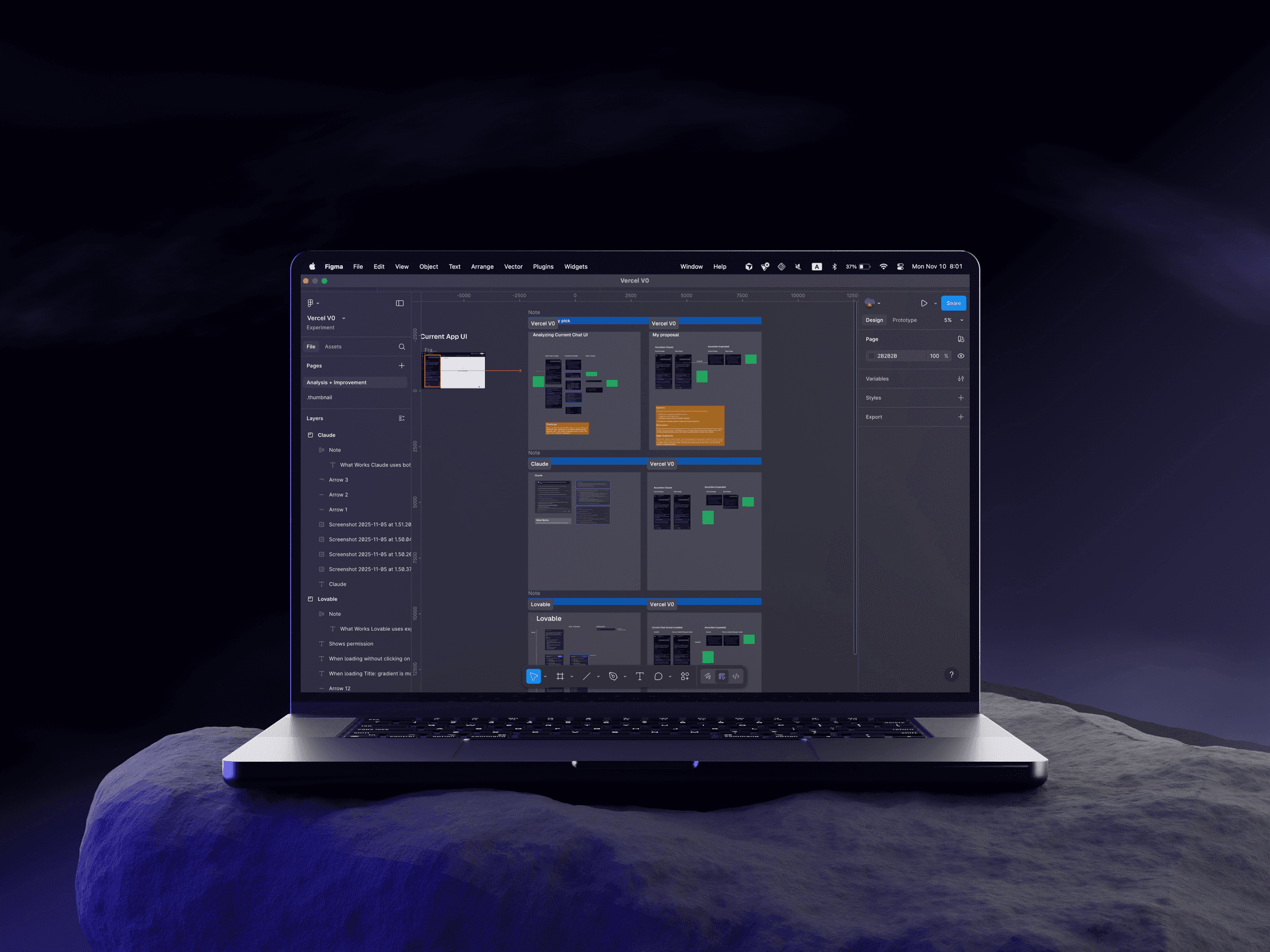
Overview.
This is a design thinking exercise exploring how I approach product improvement opportunities. I have tremendous respect for Vercel's design team and the work they've done with V0.
As a user of V0, I noticed a recurring moment of friction that sparked this exploration. Rather than a critique of existing decisions, this case study demonstrates my process, systems thinking, and how I balance user needs with constraints.
My Approach
The Observation & Research.
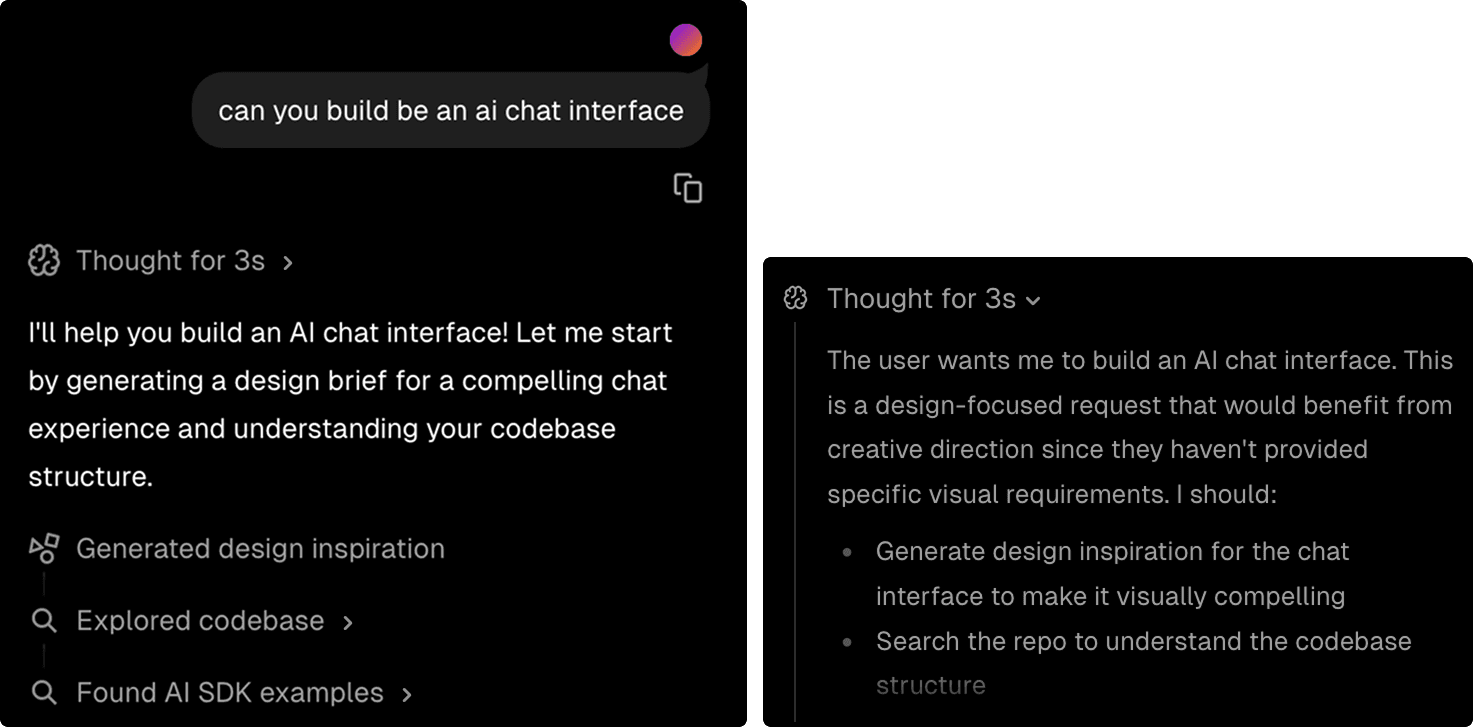
While reviewing past interacions in a lengthy V0 chat, I found myself repeatedly clicking on components to discover which ones were expandable. There was no immediate visual cue to distinguish between expandable accordions and static content when scanning through the conversation.
Research
Participants
3 friends
Methods
Key Findings
When This Matters Most
The Problem Statement.
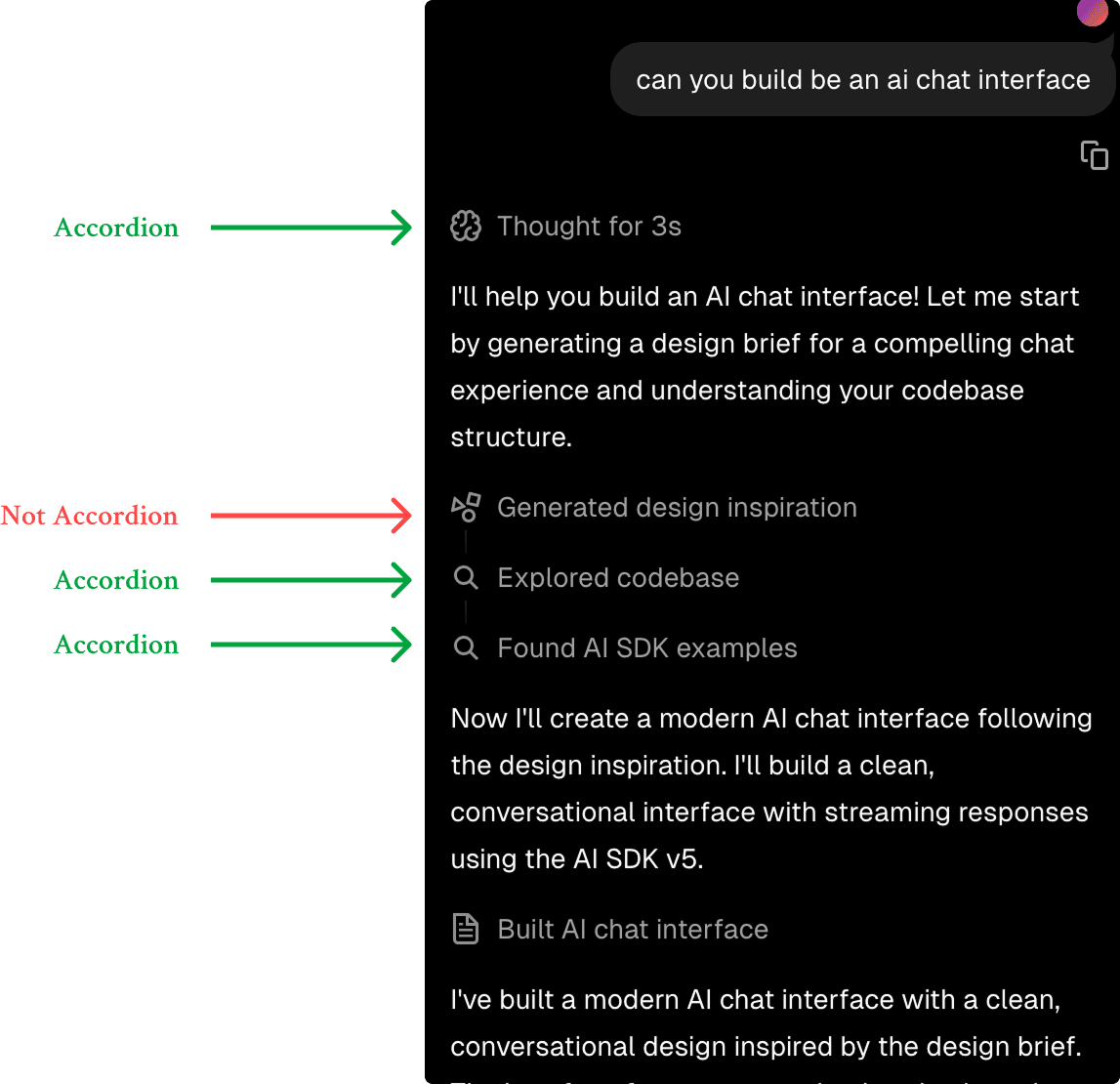
When users skim through V0 chat history, there's no persistent visual indicator to distinguish expandable components (accordions) from static ones. This creates unnecessary cognitive load and friction, as users must hover or click to discover interactivity.
Current App Behavior.
No Visual Indicator for Expandable Components
When users skim through the V0 chat, there's no visual indicator to distinguish which components are accordions (expandable) from those that aren't. This creates unnecessary friction as users must click or hover to discover expandability.
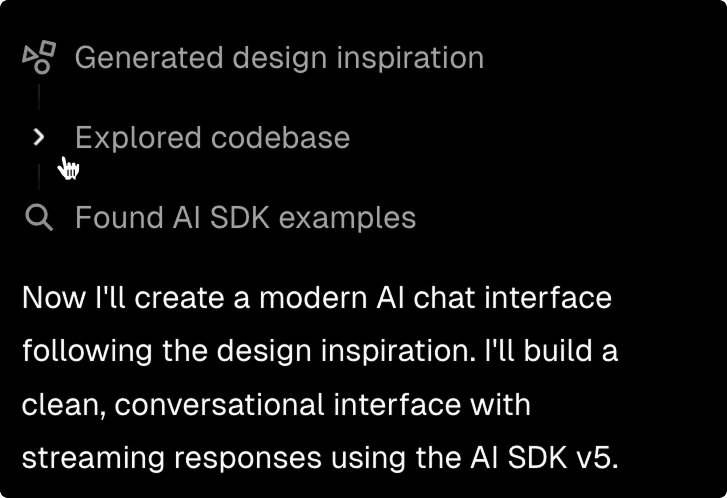
On Hover
Chevron shows up only on hover. Without hovering, it is unclear that this component is an accordion. This will also require Vercel to design a new UI for the mobile view.
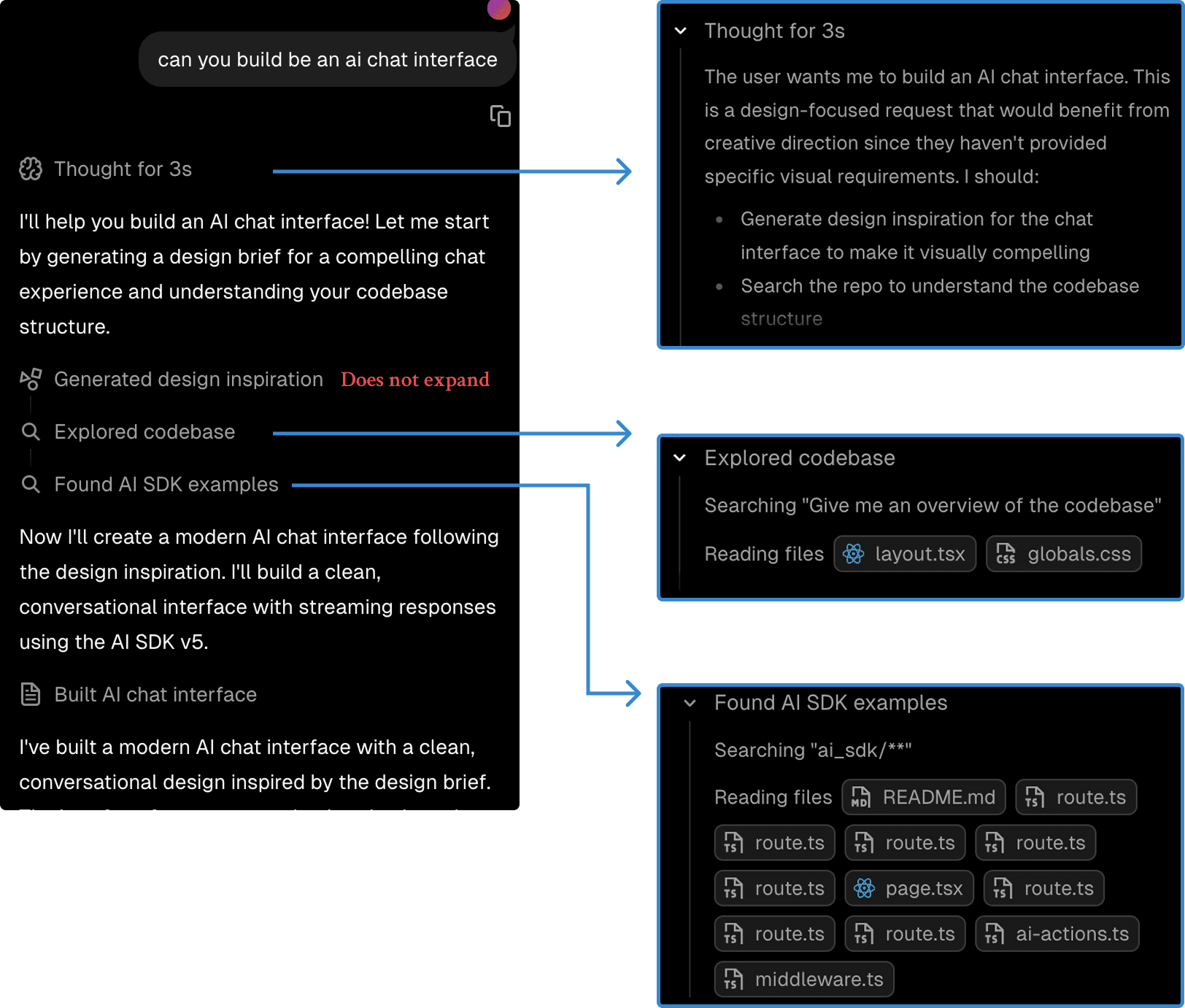
When Accordion is Expanded
Icon on the left turns into a chevron down icon.
Design Exploration.
Here are three approaches I considered, evaluated against criteria of discoverability, consistency, accessibility, and engineering complexity.
Solution 1:
Persistent Chevron Icon
Add an always-visible chevron indicator positioned on the right side of accordion components.
Clear affordance, minimal visual weight, industry standard pattern
Adds visual element to every accordion

Solution 2:
Subtle Border Treatment
Use a subtle border style to indicate expandable content.
More visible than just a chevron icon
More visual noise than just a chevron icon

Solution 3:
Text Label Indicator
Add small "Show all" or "Expand" text label to accordion headers.
Extremely explicit, accessible with text labels
Adds visual noise than just a chevron icon

Proposed Solution: Persistent Chevron.
Why This Solution?
After exploring these options, the persistent chevron felt like the best fit. Here's why:
- •It's a widely understood pattern (familiar from file explorers, navigation menus, FAQs)
- •It provides immediate visual feedback without requiring hover states
- •It maintains V0's clean aesthetic while adding functional clarity
- •It supports keyboard navigation and screen reader patterns naturally
Expected Impact & Success Metrics.
Expected Impact
How to Validate
A/B test comparing click patterns, hover frequency, and time-to-interaction between current and proposed designs. Track whether users expand accordions more confidently (fewer hover-then-abandon patterns). Additionally, gather qualitative feedback on whether the visual indicator feels natural and helpful in context.
Constraints & Tradeoffs.
I recognize that design decisions exist within constraints. The Vercel team has likely considered:
Visual Density
Every icon adds visual weight. Is the tradeoff worth it for improved discoverability?
Engineering Cost
How complex is implementation across all accordion instances? What's the development timeline?
Mobile Optimization
Does this work well on smaller screens with touch interactions? Are touch targets sufficient?
Brand Aesthetic
Does this align with V0's minimalist design philosophy and Vercel's overall brand?
User Preference
Some power users may prefer the cleaner, current interface. How do we balance different user needs?
Strategic Priorities
Where does this fit within the product roadmap? Are there higher-priority improvements?
The solution should be validated against these constraints with actual user data, not assumptions. Without access to usage analytics, technical architecture details, and strategic priorities, these are educated hypotheses that would need refinement.
Final Thoughts.
I share this not as a definitive answer, but as an example of how I approach design opportunities. With access to user analytics, technical constraints, and Vercel's strategic priorities, my recommendations would likely evolve.
What I like about Vercel is the attention to craft evident in every interaction. Products like V0 represent the future of how designers and developers work, and my career dream is to contribute to that vision.
If I have an oppotunity to talk to Vercel's design team, I'd like to learn:
- • What I might be missing in my analysis
- • How this fits (or doesn't) with Vercel's design philosophy
- • What you've learned from real user data about the current pattern
- • How the design team approaches similar challenges
ExploreFigma File.
Design speaks louder than words. Check out the full Figma file to see the process, decisions, and iterations behind this project.
Check Out Figma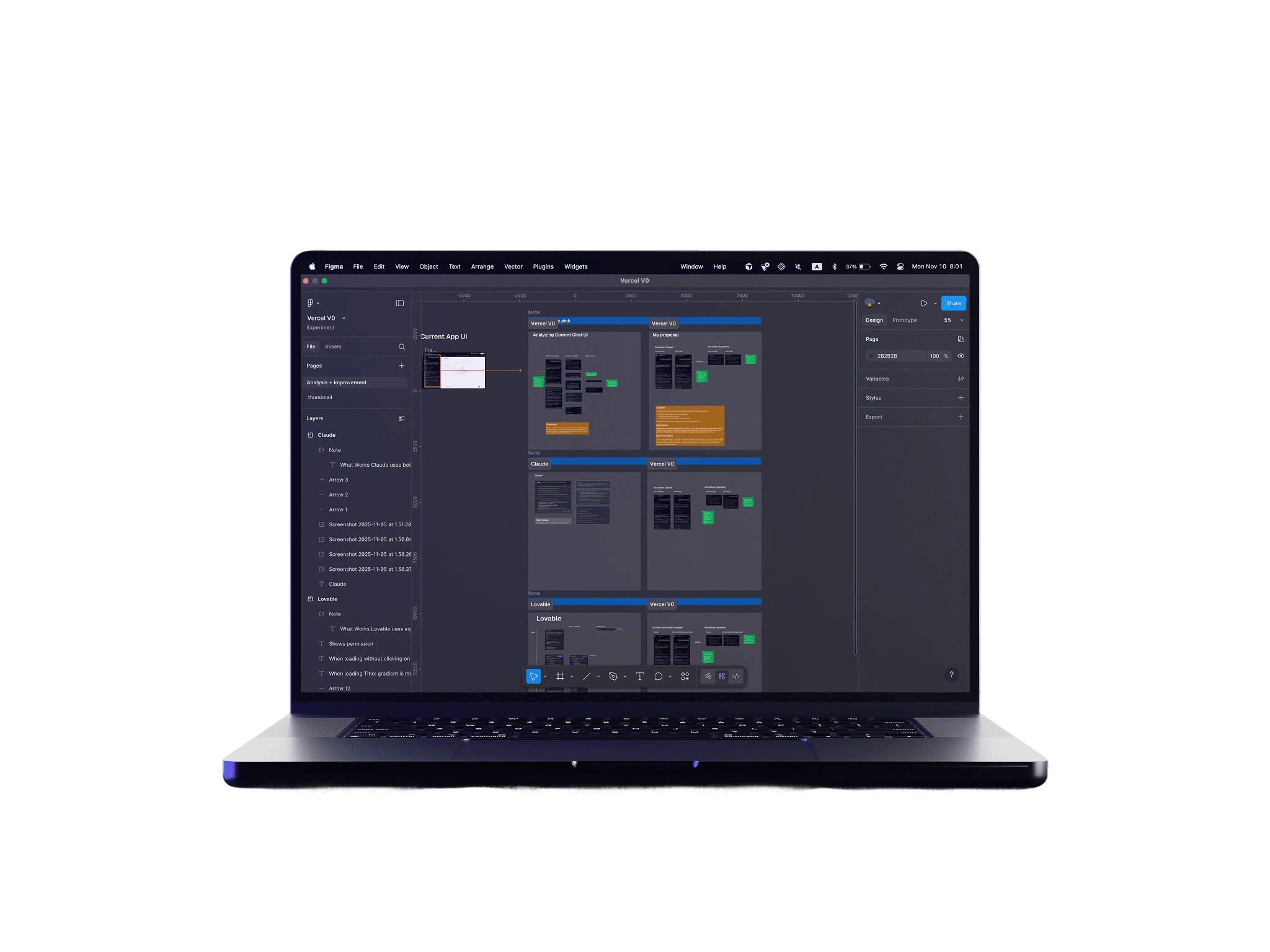





Let's make something users will love!
If you're looking for a product designer who can bridge the gap between design and code, I'm here to help!