Thunderbolt
Skills feature: shipping in three phases
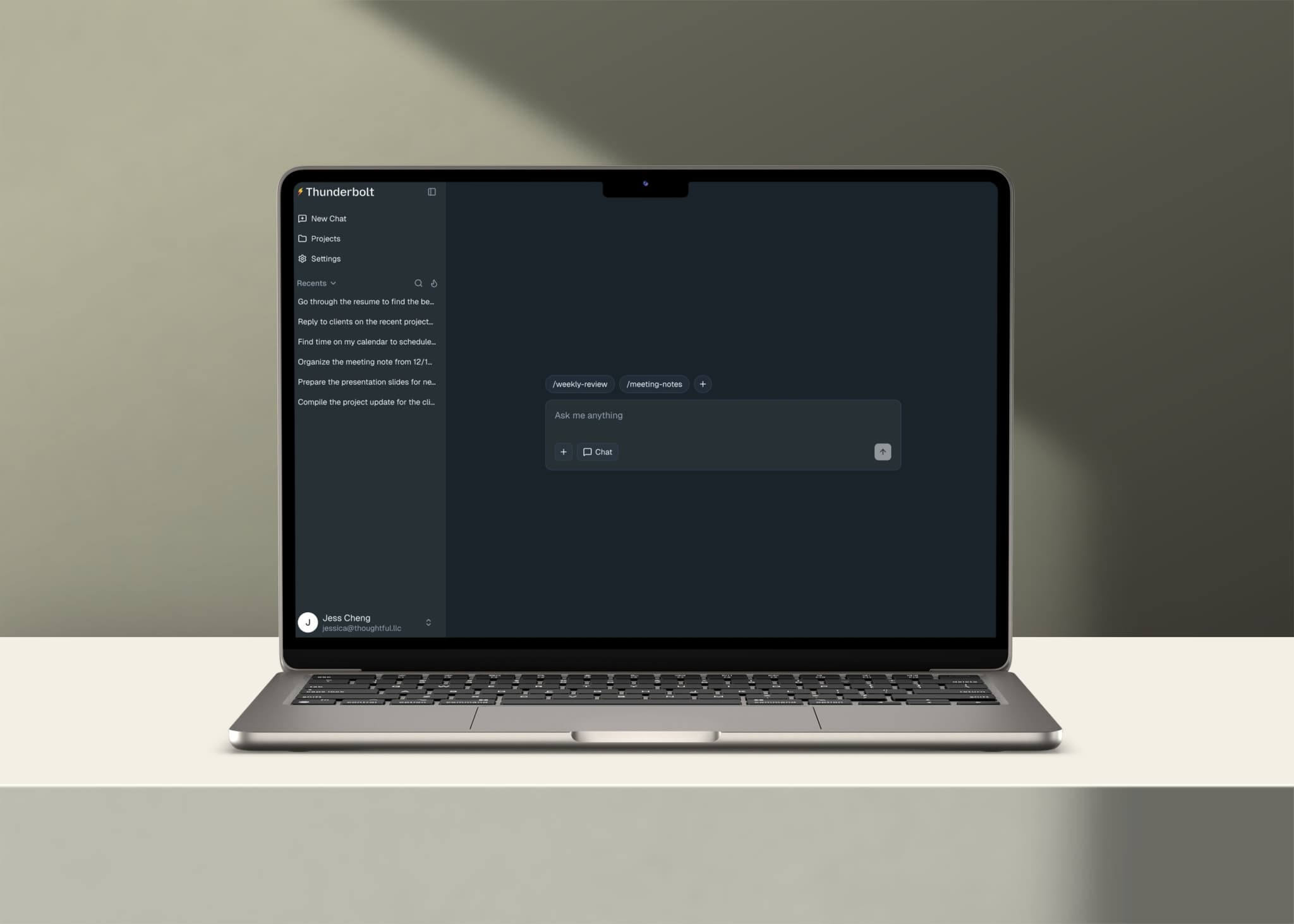
Overview.
Thunderbolt is an open-source AI client launched by Mozilla. I designed the Skills feature, a way to save and reuse prompts that replaces the existing Shortcuts and Automation features.
Impact I Made.
Final Design.
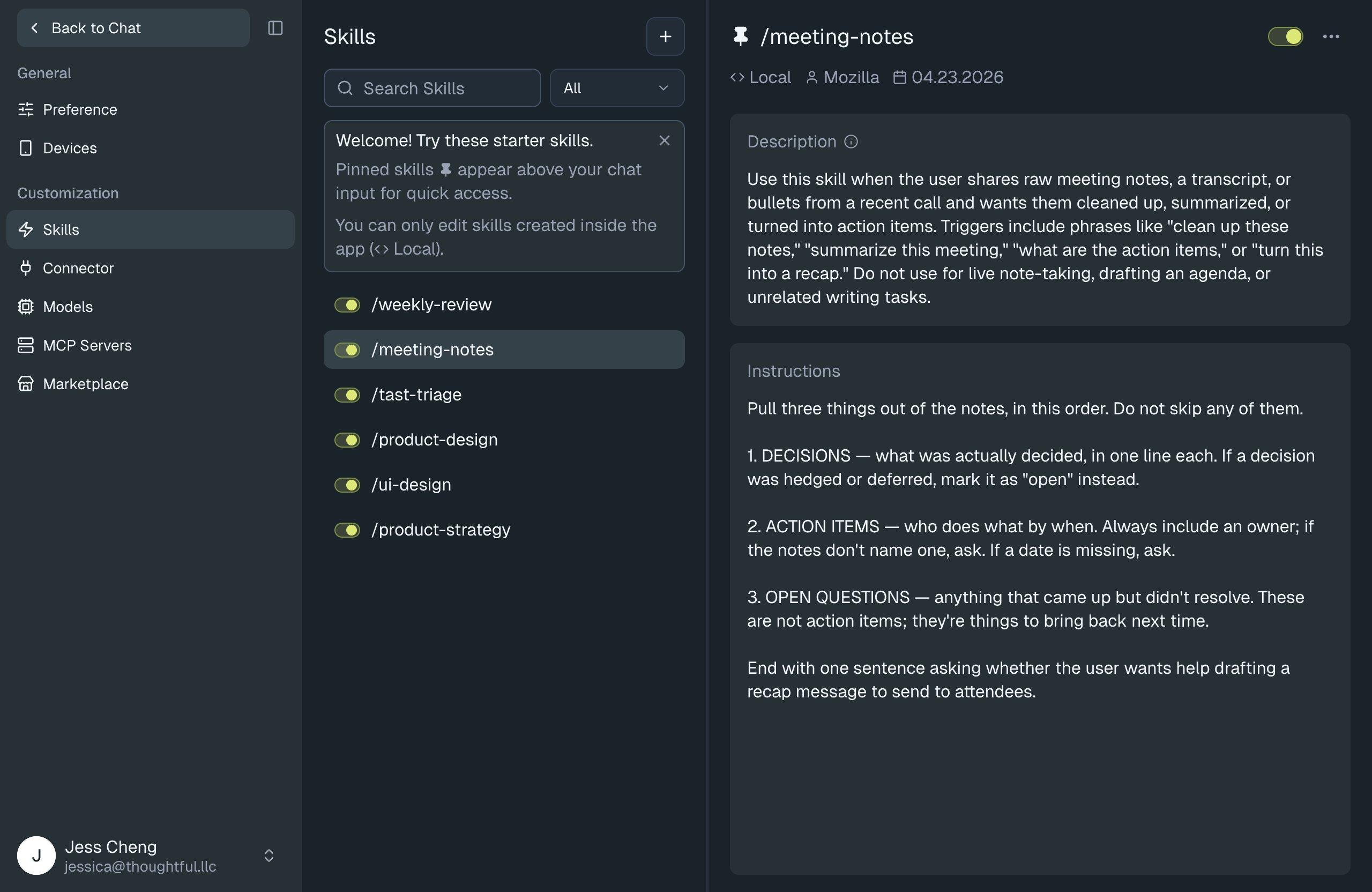
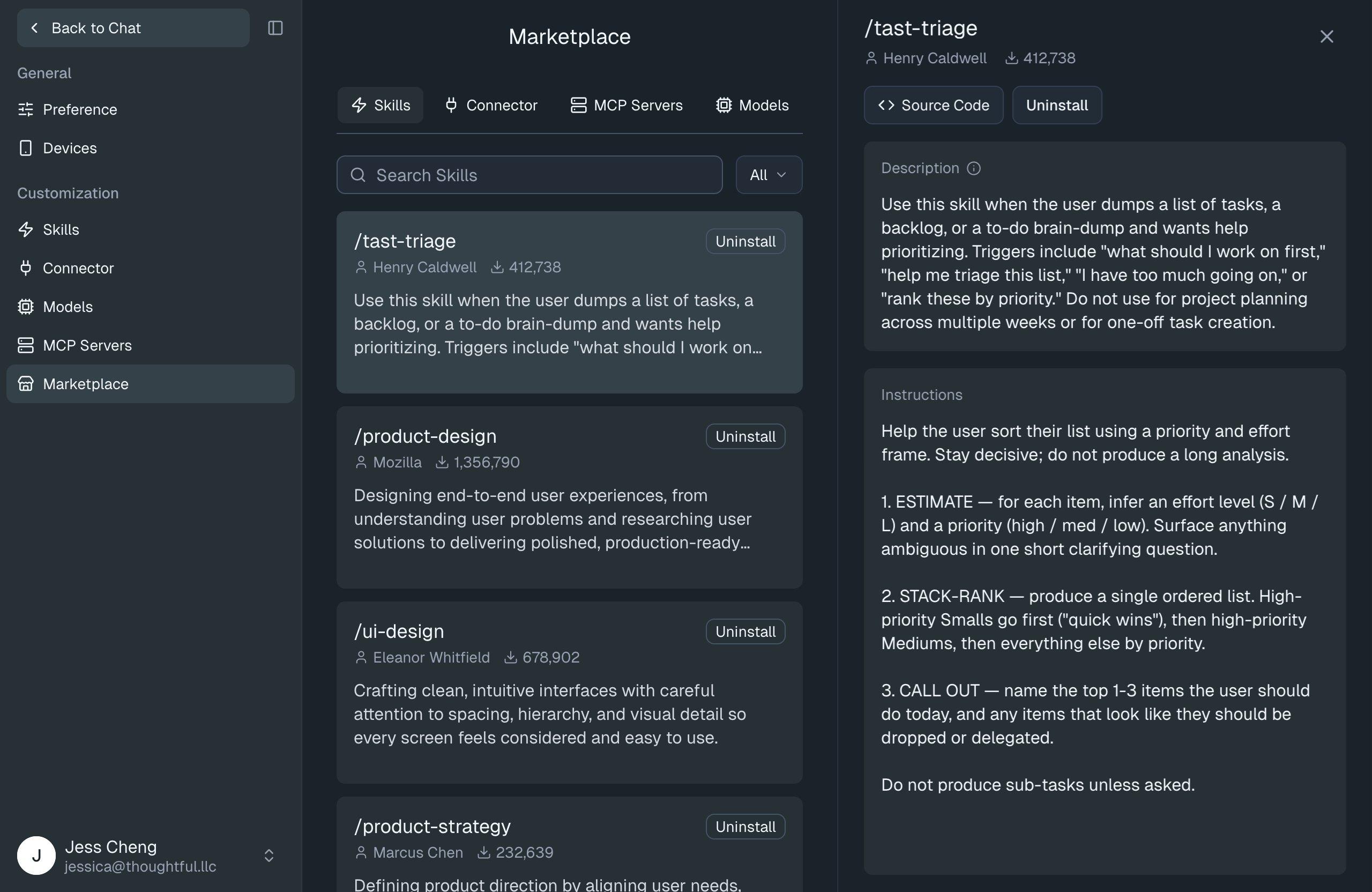
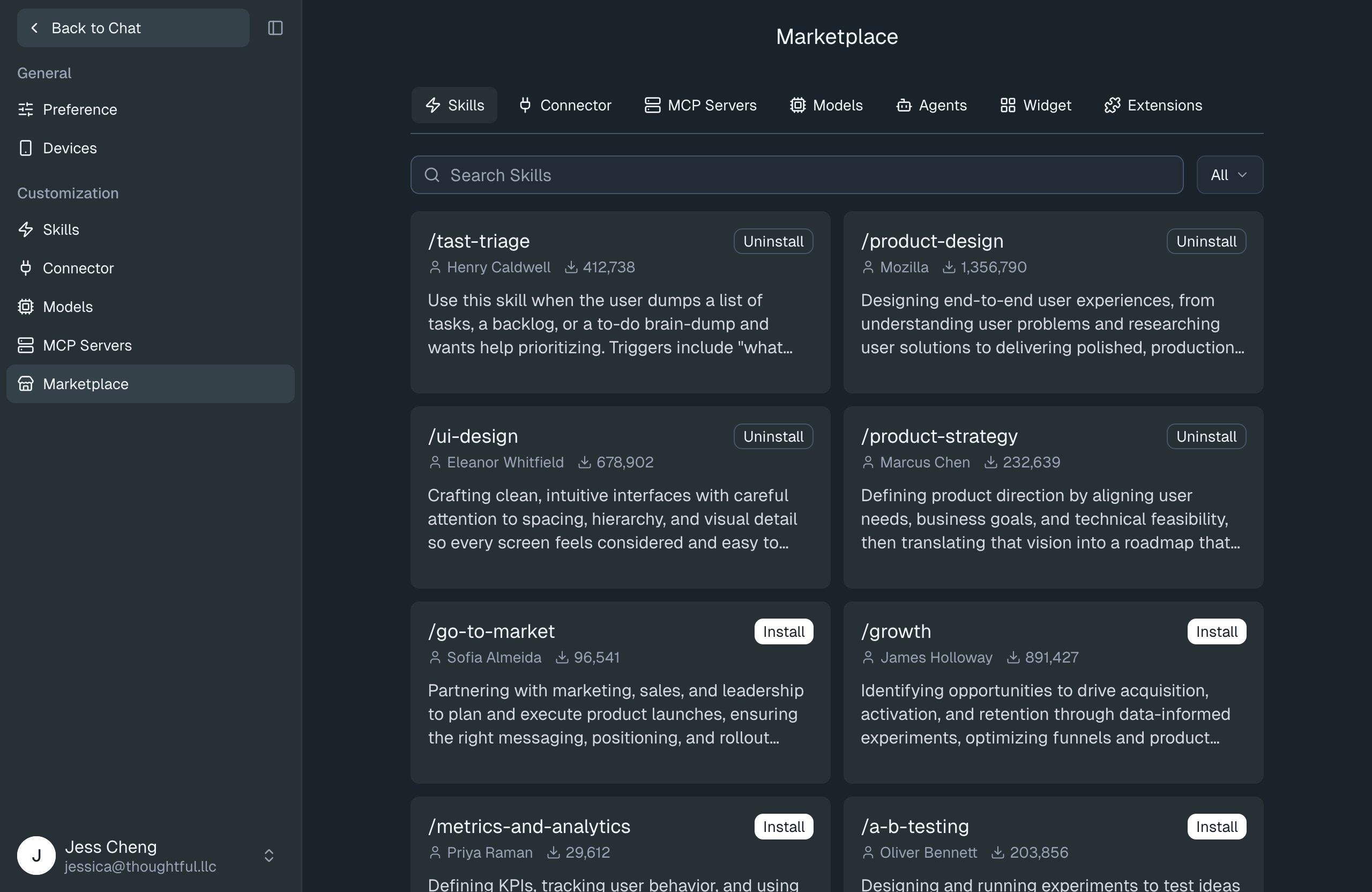
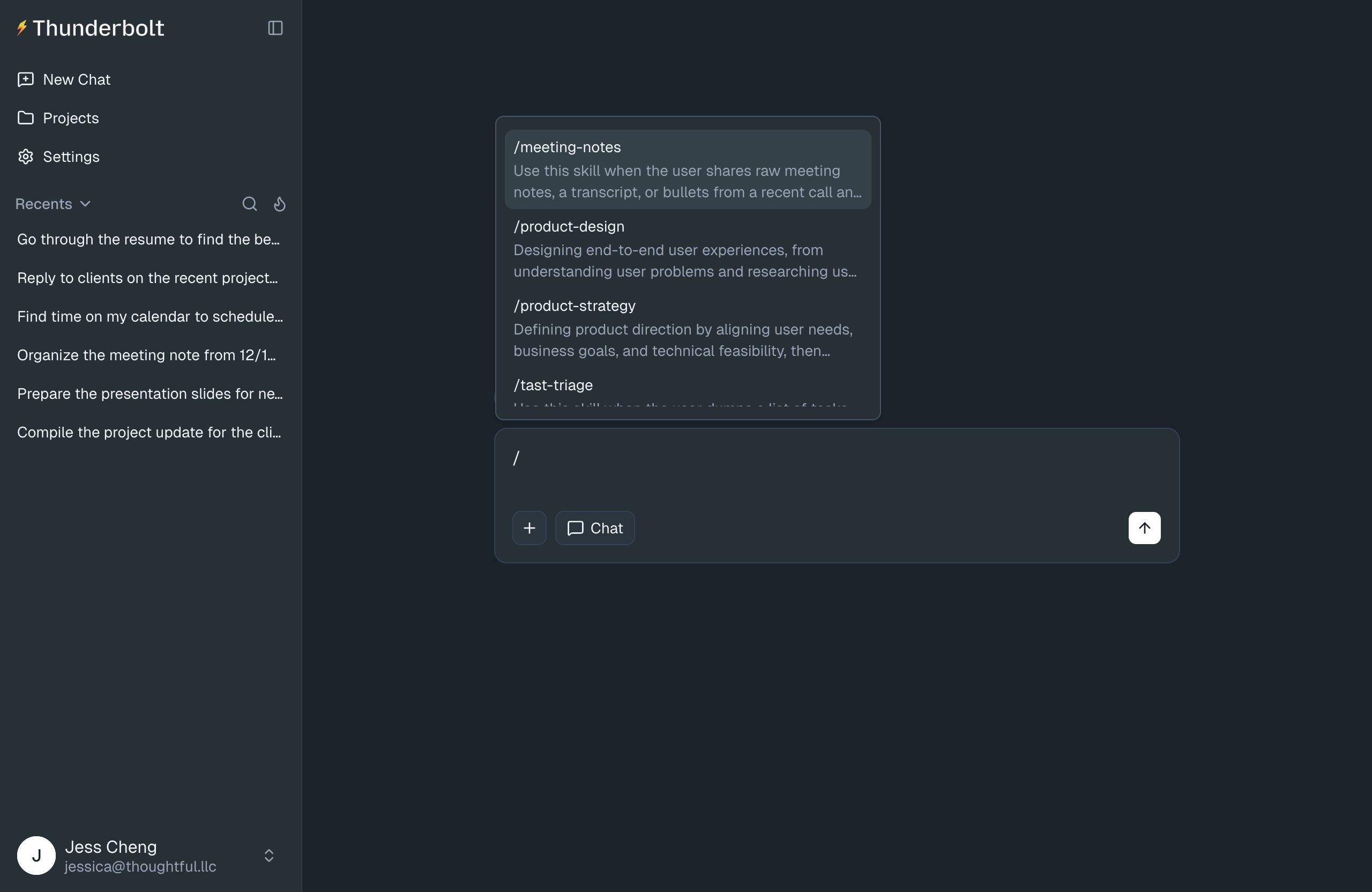
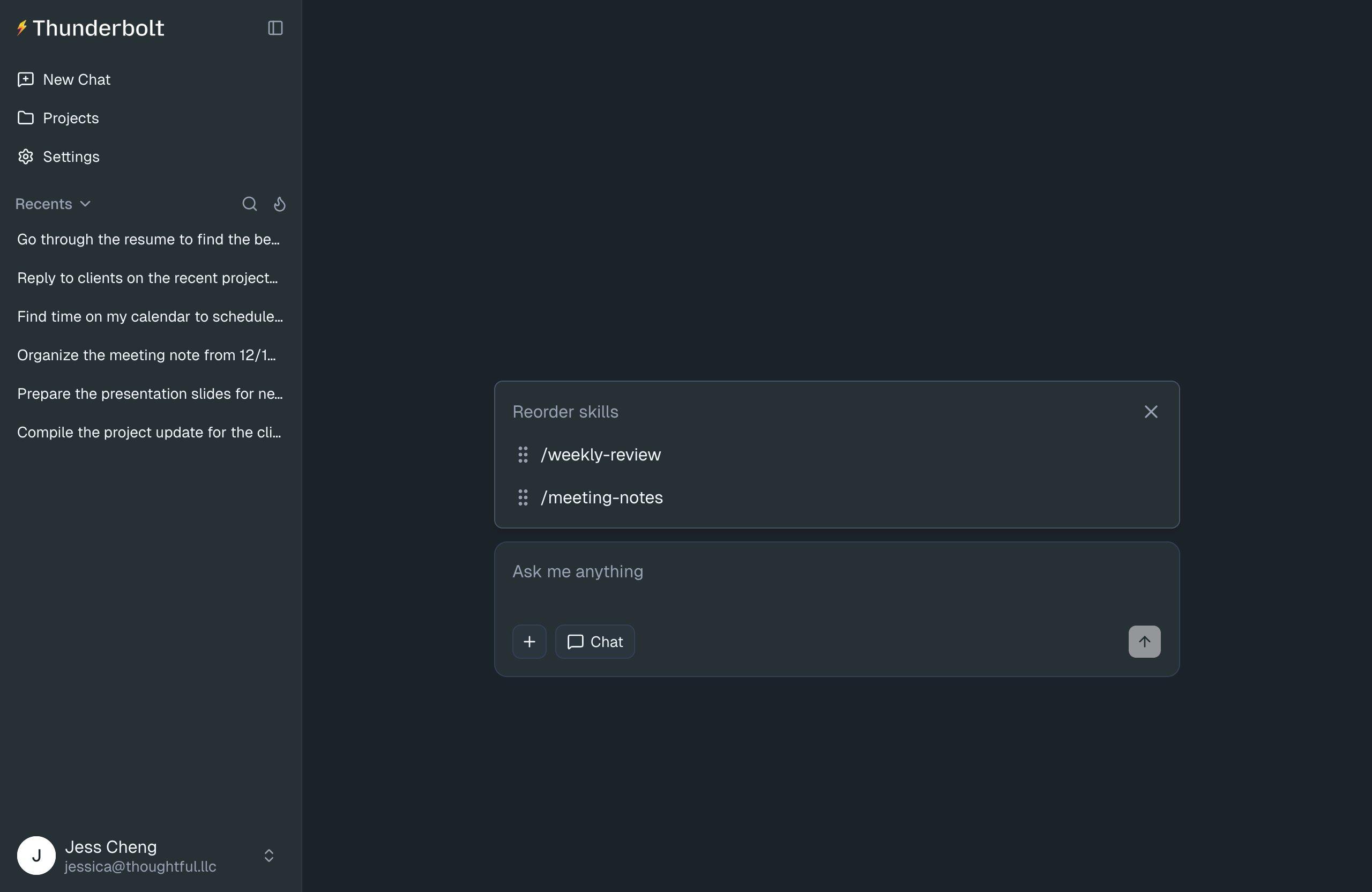
Try the Prototype.
Click through the actual Skills feature: create a skill, pin it to the chat input, invoke it via slash, install one from the marketplace, and reference it from a custom skill. The prototype is a clickable Vercel deployment of the final design.
Where It Started.
We had two features that solved overlapping problems in different places.
“Remove Automation and Shortcuts. Replace them with Skills. We want a Skills page in settings, a shortcut button row above the chat input, navigation to the Skills page from the side nav, the ability to edit skills, and eventually a marketplace where users can install skills authored by others.”
Defining the Solution.
I anchored the design on Anthropic's Agent Skills standard, an open format for packaging reusable prompts as folders with a SKILL.md manifest, already adopted by Claude Code, Cursor, and VS Code Copilot. Adopting it made portability a structural property of Thunderbolt's data model rather than a feature we'd need to build.
- Make Thunderbolt's anti-lock-in promise real, not just claimed
- Open a path for third-party skill distribution (deepset/Haystack and others)
- Stop retyping the same prompts
- Bring an existing prompt library in from other AI tools without rebuilding it
- Build skills that compose: a skill that calls another skill that calls another
We listed every feature we wanted to ship:
- Create / edit / delete skills
- Search and pin skills for faster access
- Slash invocation in the chat composer
- Pinned shortcut buttons above the chat input
- Marketplace install / uninstall
- Upload skills from local device
- Capability-aware skill compatibility (“requires code execution”)
Breaking Down the MVP.
We broke the work into three phases so v1 could ship in one week without committing to surface no one had vetted.
There were a lot of design challenges, but lets focus on the biggest one
The Biggest Challenge.
v3's goal was to give users more control over the skills in their library, to install one from the marketplace and shape it to their own work, not just use it as-shipped. We were also merging Shortcuts and Automation into Skills and laying the marketplace foundation in v2, but v3 was where user control became the design question.
I worked through three design directions before landing on the one that ships. Each one came out of what the previous one got wrong.
Direction 1: Edit-and-revert, control through editing with a safety net
The first direction I designed delivered control through editing. Users could install a marketplace skill, edit it freely, and revert to the original at any point. The user model was familiar, closer to Google Docs. Edit anything, undo anything.
The cost lived in the data model
Revert required snapshots of the original at install time. Content-addressed storage so two users installing the same skill shared bytes. Ref-counted references so a marketplace skill couldn't be deleted while any user still depended on a snapshot of it. On top of that, the UI needed an in-app editor for skill folders, including markdown, prompts, possibly code.
It was two apps
One was Thunderbolt. The other was a document editor with version history, revert flows, and a snapshot system underneath. A multi-month build for three engineers already split across other work, sitting on top of an app that isn't a document editor.
The challenge
Deliver user control without committing the team to building a second app to support it. I needed a smaller version.
Direction 2: Edit-only, control through editing without the safety net
Revert was the most expensive feature in edit-and-revert. It was what forced the snapshot system, content-addressed storage, and ref-counted references. I cut it and redesigned around the constraint.
What was removed
I stress-tested edit-only with Claude before committing to it. The pressure-test surfaced two problems I hadn't seen.
The conclusion was clear: Direction 1 and Direction 2 are both adding apps on top of an app. There had to be a simpler version that solved the same user problem.
Direction 3: Reference, control through composition instead of editing
Edit-and-revert and edit-only both demanded heavy engineering, and both were variations of the same shape. I stepped back from the screens and asked a different question: what's the simplest version of this that still solves the user problem?
The user's actual need was customization: “I want this skill, but slightly different.” I'd been assuming that meant editing. But editing is one of several ways to customize. Composition is another. Parameterization is a third. Editing was just the first one I'd reached for.
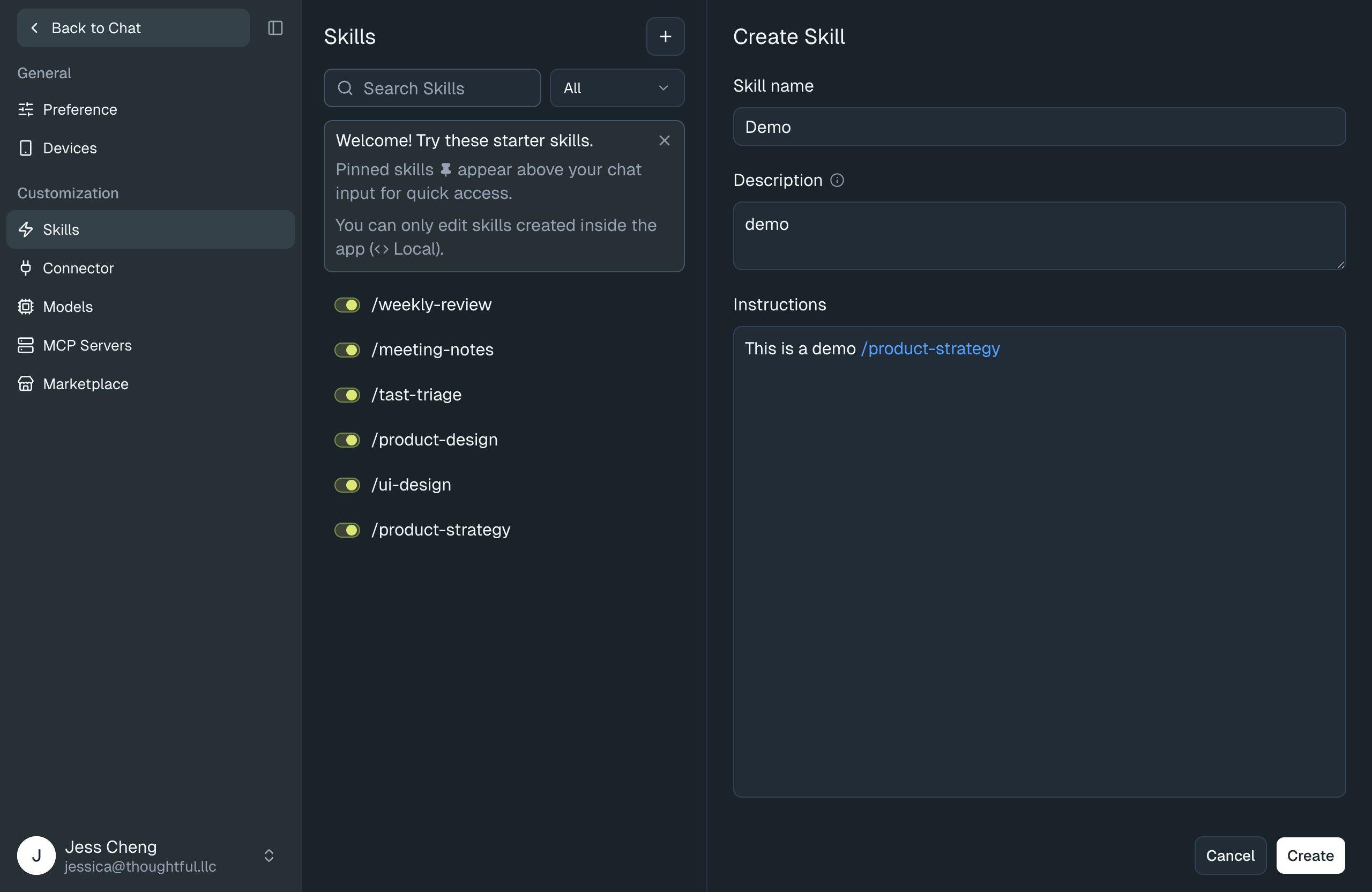
The shift: stop letting users edit marketplace skills at all. If they want a skill that does something different, they don't fork it; they author their own custom skill that references it.
How reference model works
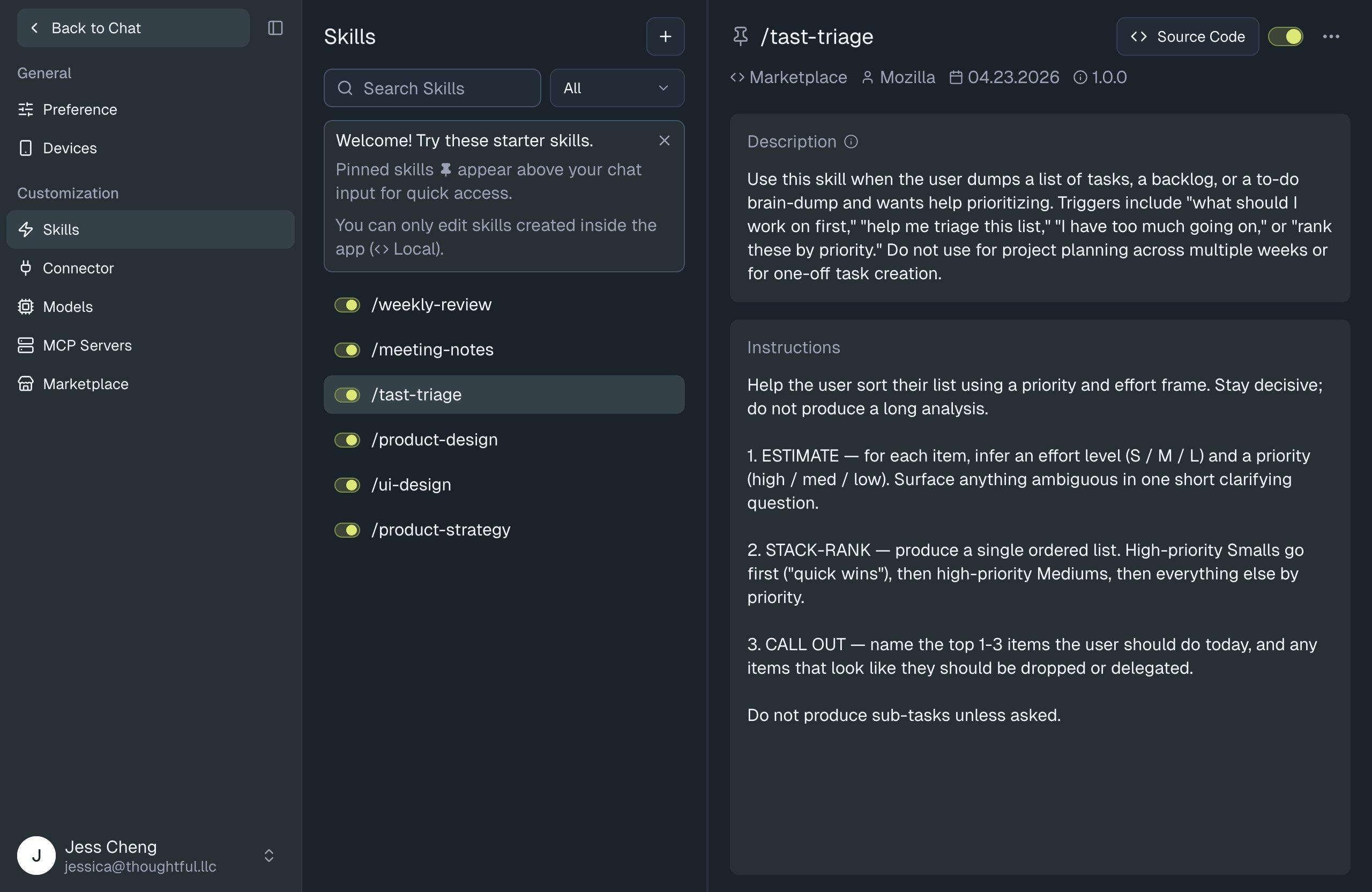
1. Install
A user installs a skill from the marketplace. It enters their library as a read-only entry. Thunderbolt holds a reference to the marketplace version, not a copy of it.
2. Compose
Instead of editing the installed skill, the user creates a new skill that calls it. The custom skill references the marketplace skill by ID. The marketplace skill stays untouched.
3. Update
When the marketplace publishes a new version, the user pulls it in cleanly. Their custom skill keeps working. No merge against an edited fork. No revert. No migration.
Why I Chose the Final Design.
Additive growth in the data model
Existing tables stay stable. New capabilities arrive as new tables.
Three product versions. Two table additions. Existing tables grow only by appending optional columns. No data restructuring, no destructive migrations. Engineering ships v2 and v3 by adding to the foundation, not by reopening it.
Three product versions. Two table additions. Zero schema migrations. The reference model lets us test the premise in weeks instead of months.
Three v3 schemas, side by side
The data model is where the cost of each direction becomes visible.
v3-direction2 and v3-direction3 both have three tables. The difference is what those tables track. v3-direction2's third table tracks per-install state. Every install of a marketplace skill creates a new row recording version, modified flag, and lifecycle. v3-direction3's third table is a reference graph, a flat list of “this skill points to that skill,” with no per-install or per-user complexity. The same table count hides a meaningful difference in what the data model has to manage.
What the reference model unlocks
- Updates without conflict. When the marketplace publishes a new version of a skill, the user pulls it in cleanly. There's no edited fork to merge against.
- Skill authors debug their own folders. Marketplace skills stay maintained at their source: GitHub for marketplace skills, the original local file for uploads. Authors update where they author. Thunderbolt isn't trying to be the editor.
- Simpler to build, without compromising goals. The user still gets reusable, composable skills. The business still gets portability and a marketplace path. Engineering ships in stages without architectural rework.
The reference model is what ships.
Serving the Original Goals.
Returning to where this started: three user hypotheses and two business goals. Here's how v3 Direction 3 maps back to each.
User hypotheses
Users retype the same prompts repeatedly and want a faster reuse path.
The pinned shortcut row and slash invocation in the chat composer cover this directly. A user can save a prompt once and reach it in two keystrokes from then on. v1 ships this.
Power users want skills that compose, not just standalone snippets.
v3 Direction 3's reference model lets a user build a skill that calls another skill, without forking, without editing the original. Composition arrives as a clean addition to the data model, not a retrofit.
Business goals
Make Thunderbolt's anti-lock-in promise structural, not rhetorical.
Because the file format is the same one Claude Code, Cursor, and VS Code Copilot use, portability isn't a feature Thunderbolt has to maintain; it's a property of the format. The marketing claim and the engineering reality are the same thing.
Open a path for third-party skill distribution.
The marketplace in v2 and the reference model in v3 Direction 3 together mean partners like deepset/Haystack can publish skills that users compose with their own work, without Thunderbolt mediating the relationship.
What the design cut from the engineering bill
The shift from v3 Direction 1 to v3 Direction 3 didn't just produce a cleaner user experience. It removed work the team would otherwise have had to do:
original_blob_hash, content-addressed storage, and ref-counted references to support revert. None of that exists in v3 Direction 3.The net: a feature that initially scoped to roughly six months of engineering ships its first version in a week, with v2 and v3 Direction 3 phased on top of the same foundation. The engineering capacity that would have gone to building a document editor is available for the rest of Thunderbolt's roadmap.




Let's make something users will love!
If you're looking for a product designer who can bridge the gap between design and code, I'm here to help!